
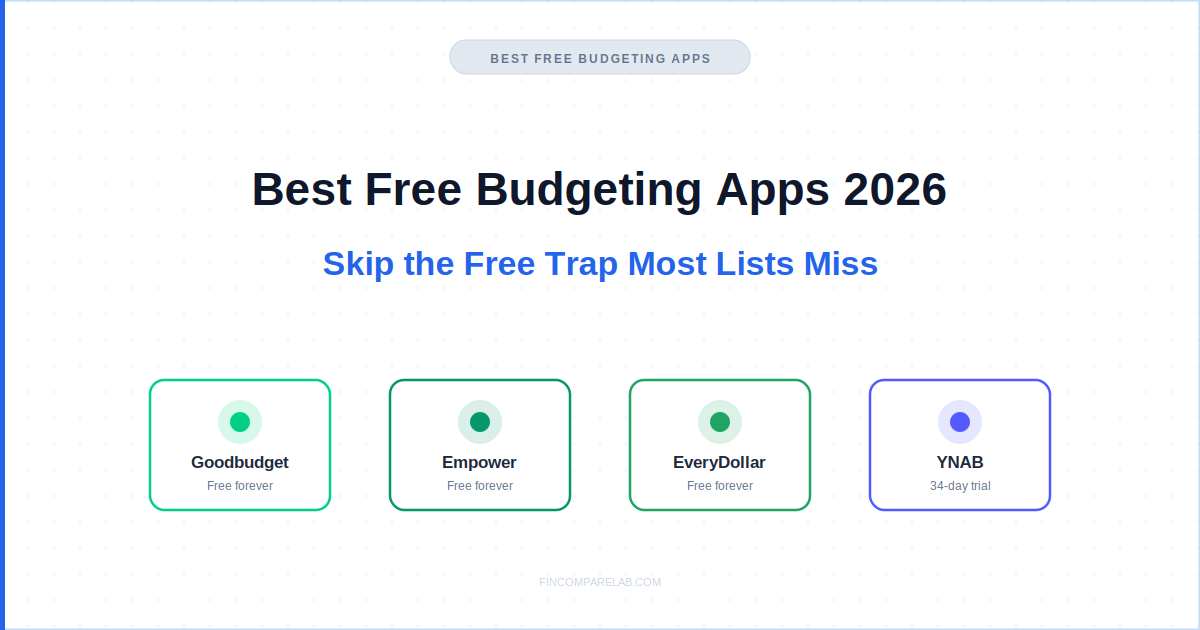
The best free budgeting apps split into two completely different categories, and mixing them up is the free trap most roundups don’t warn you about. Three of the four apps I cover most often, Goodbudget, Empower, and EveryDollar, are genuinely free forever. YNAB isn’t free at all. It just has an unusually generous 34-day trial that a lot of people mistake for a permanent free tier.
⚡ Quick Answer
Three of these four apps are free forever, with no expiry: Goodbudget (envelope method, manual entry), Empower (automatic bank sync plus investment tracking), and EveryDollar (zero-based budgeting, manual entry). YNAB is not free. Its 34-day trial is the most generous in the industry, but it converts to a $109/year subscription on day 35.
The real trap: Goodbudget and EveryDollar’s free tiers skip bank sync entirely, and most people never realize Empower already gives that away for free.
How We Review Apps · Pricing verified from official websites — 12 September 2026
📋 In this guide
- What Does “Free” Actually Mean Among the Best Free Budgeting Apps in 2026?
- Is Goodbudget the Best Truly Free Budgeting App With No Bank Sync?
- Is Empower the Best Free Budgeting App With Automatic Bank Sync?
- Does EveryDollar’s Free Tier Still Hold Up in 2026?
- Is YNAB Really Free, or Just an Unusually Generous Trial?
- What’s the Actual Free Trap in Budgeting Apps?
- Best Free Budgeting Apps 2026: Side-by-Side Comparison
- Which Free Budgeting App Actually Fits You?
- What Do People Ask About Free Budgeting Apps?
What Does “Free” Actually Mean Among the Best Free Budgeting Apps in 2026?
Among the best free budgeting apps in 2026, “free” means three different things, and confusing them is exactly how people end up paying for something they didn’t need to. A permanent free tier never bills you. A free trial bills you automatically once it ends.
A “freemium” tier can be so stripped down it barely functions as a real budgeting tool. Only the first kind belongs on a genuinely free list.
I get pricing wrong flagged constantly on other sites, so I re-verify every figure directly from the source before publishing. This page was checked against goodbudget.com, empower.com, everydollar.com (now redirecting to Ramsey Solutions), and ynab.com on 12 September 2026.
Here’s the breakdown that actually matters when you’re comparing the best budgeting apps 2026 has to offer:
- Free forever, no card, no expiry: Goodbudget, Empower, and EveryDollar’s manual tier all fall here. None of them will ever charge you unless you deliberately upgrade.
- Free trial that converts to paid: YNAB’s 34 days is the most generous trial in the category, but day 35 brings a real subscription charge unless you cancel first.
- Freemium with a hard wall: Some apps market a “free” tier so limited (no reporting, single account, ad-heavy) it functions as a demo rather than a usable tool. None of the four apps below fall into this trap, which is part of why they made this list.
Most good free budgeting apps roundups skip this distinction entirely, which is part of why so many of them still list apps that quietly stopped being free years ago. That’s the real gap between a properly re-verified list of the best free budgeting apps and one that’s just recycling last year’s post.
One thing worth flagging directly: a few well-known roundups still list PocketGuard as free. It removed its permanent free tier in 2025 and now only offers a 7-day trial before charging $74.99/year. If a “best free budgeting apps” list from 2026 still includes PocketGuard as free, the rest of that list probably hasn’t been checked recently either.
Is Goodbudget the Best Truly Free Budgeting App With No Bank Sync?
The four apps below cover every realistic version of free budgeting apps you’re likely to run into this year, from fully manual to fully synced, so it’s worth reading past whichever one you already assumed was the answer.
Goodbudget is the strongest pick among the best free budgeting apps if bank sync isn’t a dealbreaker for you. The free tier gives you 20 envelopes, one account, and two devices, permanently, with no trial clock and no credit card required. The tradeoff is that every transaction goes in by hand. Every figure here is re-verified directly on goodbudget.com before publishing, not copied from an older post.
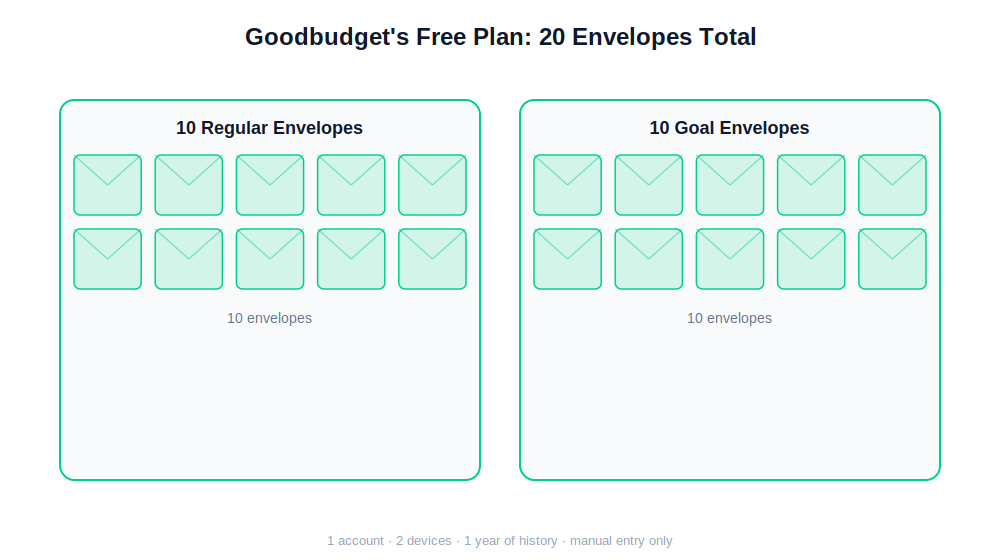
Goodbudget’s free tier splits into 10 regular spending envelopes and 10 goal envelopes for things like a car repair fund or a vacation.
How Many Envelopes Does Goodbudget’s Free Plan Actually Include?
Goodbudget’s free plan includes 20 total envelopes: 10 regular spending envelopes and 10 goal envelopes for savings targets. That’s enough for a single-income household covering groceries, rent, utilities, and a couple of savings goals, but it gets tight fast for anyone tracking a side business or splitting categories finely.
The envelope method itself is simple. You allocate income across virtual envelopes at the start of the period, and when an envelope hits zero, you either stop spending in that category or consciously move money in from somewhere else. It’s the same underlying logic as zero-based budgeting apps like YNAB, just built around physical envelopes instead of a single running balance.
Manual entry is the real cost here, and it’s a time cost, not a money one. Community discussion around Goodbudget consistently comes back to the same tradeoff: people who build a five-minute daily habit of logging transactions stick with it for years.
People who fall behind for even a week or two tend to abandon it entirely, because the numbers stop feeling trustworthy. There’s no in-between with manual entry. It either becomes routine or it becomes a chore you avoid.
Premium unlocks automatic bank sync at $10/month or $80/year, and it’s worth naming the actual gap honestly: at $80/year, Goodbudget Premium is only about $29 cheaper than EveryDollar Premium and roughly $30 more expensive than skipping bank sync entirely and using Empower’s free dashboard instead, which syncs your bank for nothing. If bank sync is the feature you actually want, Goodbudget Premium usually isn’t the cheapest way to get it.
Of the free budgeting apps covered here, Goodbudget has been running the same free-forever model the longest, since 2011, with no sign that’s changing. Among options that skip automation entirely, its envelope structure remains the most established of the group.
My take: Goodbudget earns its spot on any list of the best free budgeting apps for people who want a genuinely free, genuinely permanent tool and don’t mind the manual entry tradeoff. If you’re the type who checks your banking app daily anyway, the five extra minutes barely register. Read the full Goodbudget review or check the Goodbudget pricing breakdown for the Premium comparison in detail.
Is Empower the Best Free Budgeting App With Automatic Bank Sync?
Empower is the only app on this list that pairs a genuinely free tier with automatic bank sync and investment tracking, which is exactly why it’s the most underused option here. Because Empower markets itself around wealth management, a lot of people never realize its budgeting and net worth tools cost nothing at all.
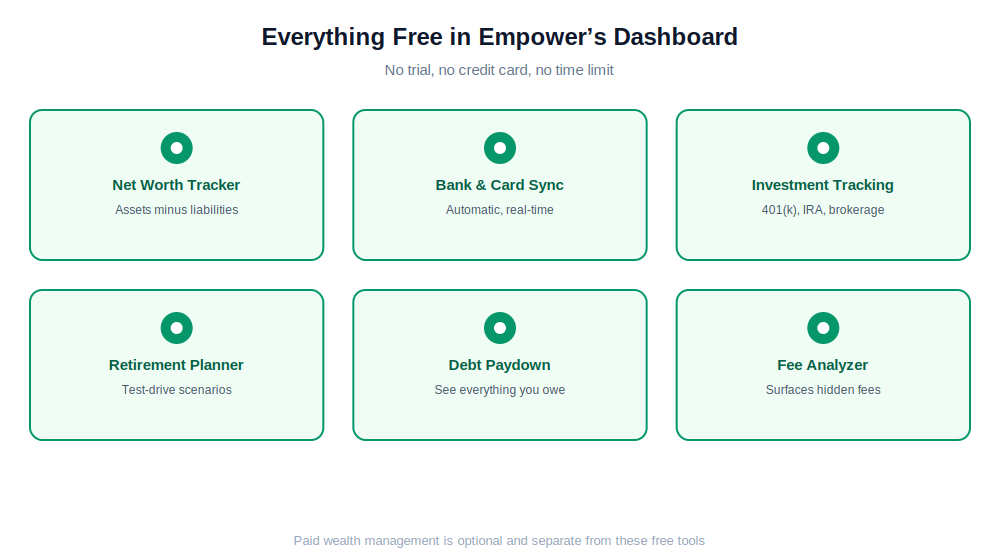
Every tool shown here, including bank sync and investment tracking, is part of Empower’s free dashboard.
The free dashboard connects to your bank and credit card accounts automatically, then layers on a net worth tracker, a retirement planner, a debt paydown view, and a fee analyzer that flags hidden costs buried in your 401(k) or brokerage account.
That last one is worth pausing on. Most budgeting apps stop at spending categories. Empower’s fee analyzer is a genuinely rare feature at this price, which is zero dollars, and it can surface expense ratios most people have never actually looked at.
The honest limitation is that Empower’s budgeting tools are shallower than a dedicated app. There’s no zero-based method, no envelope system, and no debt snowball calculator. It’s built to show you a complete financial picture, not to force active budgeting decisions the way YNAB or Goodbudget do.
If you already have decent spending discipline and mainly want visibility, that’s a feature. If you need a tool that forces you to make a plan before you spend, it isn’t the right fit alone.
There’s also a real business model to be aware of. Empower’s free tools exist partly to identify people with over $100,000 in investable assets and route them toward paid wealth management, which starts at 0.89% of assets under management.
If your balances are well below that, the free tools stay fully usable with essentially no pressure, based on how the sign-up flow at empower.com/tools is structured today. If you’re closer to that threshold, expect at least one outreach call.
Free budgeting apps rarely include investment tracking at all, which is exactly what makes Empower’s free tier so unusual. It rarely gets mentioned in the same breath as other best free budgeting apps picks, since it markets itself as a wealth platform first, a categorization that’s arguably a mistake.
Is Empower’s Free Dashboard Actually Risk-Free, or Is There a Catch?
There’s no hidden cost to Empower’s free tools themselves, but connecting your accounts does mean sharing financial data with a company that also sells advisory services. That’s a reasonable tradeoff for most people, but it’s worth knowing going in rather than discovering it later.
My take: If you’ve got any investment accounts at all, Empower is the single best free budgeting app on this list simply because nothing else gives you bank sync and portfolio tracking at zero cost. Pair it with a lighter budgeting habit elsewhere if you need more structure. Read the full Empower review or see how it stacks up against a paid alternative in Monarch vs. Empower.
Does EveryDollar’s Free Tier Still Hold Up in 2026?
Yes, EveryDollar’s free tier is still fully usable in 2026, and it’s built specifically around Dave Ramsey’s zero-based method, where every dollar of income is assigned a category before you spend it. The free version covers unlimited categories, manual entry, and a debt snowball tracker. Bank sync sits behind Premium at $79.99/year or $17.99/month.
Why Does EveryDollar’s Website Now Redirect to Ramsey Solutions?
Everydollar.com now redirects straight to ramseysolutions.com/money/everydollar, a change that took effect this year as Ramsey Solutions consolidated its product pages under one domain. It’s a cosmetic change rather than a functional one, but it’s worth knowing so you don’t think the link is broken when you go looking for it. Most good free budgeting apps write-ups still link the old domain directly.
The free tier’s biggest strength is how well it matches people already following the Baby Steps framework. The debt snowball tracker orders your debts smallest balance first and updates your projected payoff date automatically, which pairs naturally with a broader plan like the one in how to get out of debt fast.
If you’re not interested in the Ramsey ideology specifically, the zero-based mechanics still work fine on their own.
Premium got a real upgrade in January 2026 that hasn’t shown up on most competing roundups yet. Beyond bank sync, it now includes a Margin Finder tool that scans your budget for places to free up cash, a personalized financial roadmap, and live group coaching sessions run by Ramsey-trained coaches. That coaching component is genuinely unusual. Neither YNAB nor Goodbudget bundles human coaching into their paid tiers at all.
EveryDollar remains one of the more overlooked free budgeting apps on this list, largely because it’s tied so closely to Dave Ramsey’s brand that people assume it’s part of a paid course rather than a standalone app with its own free tier. Its zero-based method is one of the more structured approaches among apps that don’t require a bank connection at all.
The real cost trap on EveryDollar is billing frequency, not the free-vs-paid decision. Paying annually costs $79.99. Paying monthly costs $215.88 over the same year, a $135.89 penalty for the identical feature set. If you’re going to upgrade at all, annual billing is the only version of that decision that makes financial sense.
⚠️ Watch out: EveryDollar’s subscription only accepts debit cards, not credit cards, and Apple Card can’t be linked at all. American Express connections are also reported to break more often than other banks. Read the full EveryDollar review for the complete bank compatibility rundown.
Is YNAB Really Free, or Just an Unusually Generous Trial?
YNAB is not free. It’s a paid app at $109/year or $14.99/month, wrapped around a genuinely exceptional 34-day free trial that requires no credit card to start. That’s the longest, lowest-friction trial of any budgeting app I cover, and it’s long enough to actually change how you handle money, not just poke at the interface for a week.
I used YNAB myself for over a decade, from 2011 through earlier this year, before switching to Monarch Money once my finances needed more net worth and investment tracking than strict zero-based budgeting gives you. That’s a genuinely long stretch with the method.
It’s the main reason I trust it enough to recommend the trial specifically. The four-rule system it teaches sticks with you even after you stop using the software itself, which is more than I can say for most budgeting tools I’ve tried.
The trial itself includes everything: full bank sync, unlimited categories, a shared budget for up to six people, a built-in loan calculator, and daily live workshops taught by real YNAB coaches rather than recorded videos. Attending one in your first week genuinely shortens the learning curve, since the method has a real adjustment period that a lot of first-time users underestimate.
One edge case worth knowing: college students get a full 12 months free through ynab.com/college with a valid .edu email, verified via SheerID. That’s not a trial at all. It’s a genuine free year, and it’s the closest thing to a real free tier that YNAB offers to anyone. Full terms and the current $109 renewal price are posted directly on ynab.com/pricing.
Treating YNAB as one of the best free budgeting apps outright, without the trial caveat, is the single most common mistake in this entire category, and it’s the one this list is specifically built to correct. None of that changes the fact that YNAB doesn’t belong on a list of free budgeting apps without a trial disclaimer attached.
The trap here is straightforward but easy to fall into anyway. Thirty-four days passes quickly, and unless you actively cancel before day 35, you’re billed automatically.
If you’re trying YNAB specifically to see whether the method sticks, set a calendar reminder for day 30, not day 34, so you have a few days of buffer to decide. For a full walkthrough of the method itself, see our YNAB four rules guide or the broader YNAB for beginners primer.
My take: Don’t put YNAB on a “free budgeting apps” list and call it a day. Use the 34-day trial with real intent, attend a workshop in week one, and decide honestly by day 30 whether the method is worth $109 a year to you. Our YNAB pricing guide breaks down exactly what that renewal actually buys you.
What’s the Actual Free Trap in Budgeting Apps?
The free trap isn’t any single app misrepresenting itself. It’s four common assumptions that push people toward paying for something a genuinely free option already covers. Recognizing which category you’re actually in changes which app makes sense for you.
Most free budgeting apps roundups treat every free tier as identical, and that’s exactly the trap a properly researched list of the best budgeting apps 2026 has to offer needs to avoid.
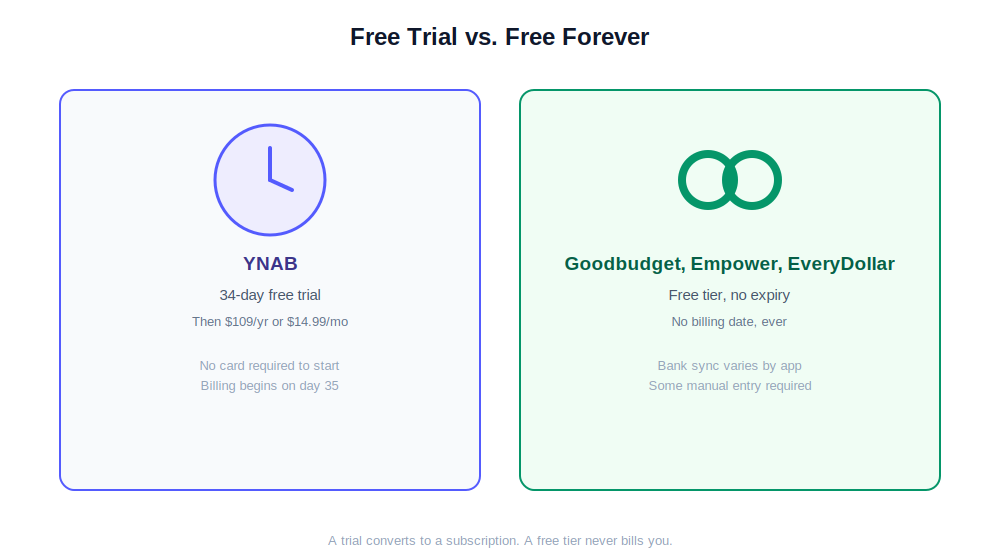
A trial has a billing date attached to it. A free tier doesn’t, and never will.
The first trap is treating a free trial like a permanent free tier. YNAB’s 34 days is real and genuinely useful, but it’s a countdown, not a plan. Plenty of people sign up meaning to cancel and simply forget, because 34 days is long enough to lose track of. That single mix-up explains more support-forum confusion than any other issue in the best free budgeting apps space.
The second trap is assuming free automatically means full-featured. Goodbudget and EveryDollar’s free tiers are completely real, but neither syncs your bank. That’s a deliberate tradeoff, not a limitation to work around, and it only becomes a problem if bank sync is actually a feature you need.
The third trap is assuming you have to pay for bank-synced budgeting at all. Empower disproves that outright. It’s marketed as a wealth and investment platform first, which means a lot of people searching specifically for a “budgeting app” scroll right past it without realizing its free dashboard already does what they’re about to pay Goodbudget Premium or EveryDollar Premium for.
The fourth trap is trusting outdated lists. Mint shut down in 2024. PocketGuard dropped its free tier in 2025. Both still show up on “best free budgeting apps” articles that clearly haven’t been re-checked against the live pricing pages.
If a roundup you’re reading includes either of those as currently free, treat the rest of that list with real skepticism.
There’s a fifth option worth naming honestly, even though it’s not an app: a plain spreadsheet costs nothing, never bills you, and never syncs your bank either. If you’ve already decided manual entry doesn’t bother you, it’s worth comparing Goodbudget’s structured envelopes against a Google Sheets budget tracker before assuming an app is the only free option.
Best Free Budgeting Apps 2026: Side-by-Side Comparison
Here’s the honest, side-by-side version of the best free budgeting apps 2026 has to offer, pulled directly from each company’s own pricing page rather than estimated from an older post.
| Goodbudget | Empower | EveryDollar | YNAB | |
|---|---|---|---|---|
| Free type | Free forever | Free forever | Free forever | 34-day trial only |
| Card required | No | No | No | No, for the trial |
| Bank sync (free) | ❌ Premium only | ✅ Yes | ❌ Premium only | ✅ Trial only |
| Investment tracking | ❌ No | ✅ Free | ❌ No | ❌ No |
| Method | Envelope | Dashboard, passive | Zero-based | Zero-based |
| Debt tools (free) | ✅ Basic tracking | ✅ Debt paydown view | ✅ Snowball tracker | ❌ Trial only |
| After the free period | Still free | Still free | Still free | $109/yr |
| Rating | 4.1/5 | 4.2/5 | 3.8/5 | 4.9/5 |
Pricing verified from official websites, September 2026. Every figure in this best budgeting apps 2026 table was pulled directly from the source, not estimated from an older post.
Which Free Budgeting App Actually Fits You?
The right free budgeting app depends on exactly one question: do you want automatic bank sync or not, and if so, do you also need investment tracking alongside it? That single fork covers nearly every real-world case, and it’s the same starting point any good free budgeting apps guide should use instead of a generic top-ten list.
It’s also the same fork worth applying to any best budgeting apps 2026 comparison you read elsewhere, free or paid.
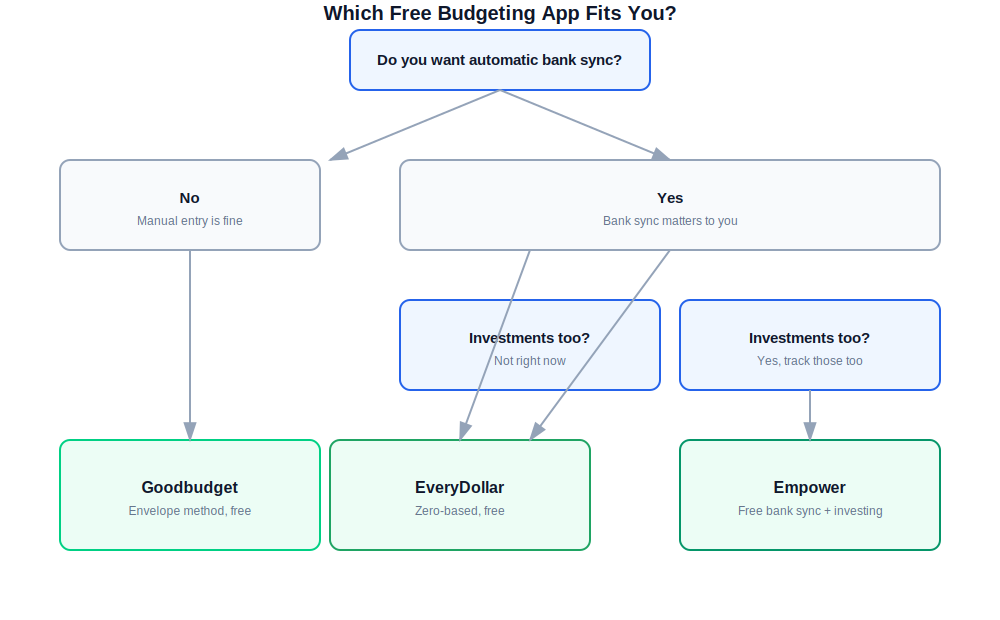
A simplified path through the four apps based on what you actually need for free.
Can You Use a Free Budgeting App Without Linking Your Bank Account at All?
Yes. Goodbudget and EveryDollar’s free tiers both work entirely without a bank connection, since every transaction is entered by hand. If avoiding bank-linked apps is a deliberate choice rather than a budget constraint, either one lets you budget seriously without ever handing over banking credentials. This same logic applies whether you’re evaluating the best free budgeting apps 2026 has to offer or comparing paid tiers down the line.
You want structure and don’t mind typing transactions
Goodbudget. Twenty envelopes, no bank link required, and it’s been free since 2011 with no signs of that changing.
You have investments and want everything in one place
Empower. Free bank sync plus a real investment dashboard beats paying for that combination anywhere else. Most good free budgeting apps roundups miss this pairing entirely.
You’re following Dave Ramsey’s Baby Steps
EveryDollar free. The debt snowball tracker and zero-based method fit that framework directly, at no cost.
You’ve never budgeted before and want the best shot at it sticking
YNAB’s 34-day trial. It isn’t free long-term, but no other trial gives you this much runway to actually test whether a method works for you.
My honest recommendation: If you have any investment accounts at all, start with Empower. It’s the single best free budgeting app for anyone who wants bank sync without paying for it. If you want zero bank connection ever, Goodbudget or EveryDollar both hold up fine on their own. Save YNAB’s trial for when you’re genuinely ready to commit 34 real days to it, not a quick test drive.
What Do People Ask About Free Budgeting Apps?
These are the questions that come up most often once people move past the initial “which one is free” question and start comparing the fine print between apps.
Is there a truly free budgeting app with no credit card required in 2026?
Yes. Goodbudget, Empower, and EveryDollar all have permanent free tiers with no credit card required and no expiry date. YNAB also starts its 34-day trial with no card, but that one converts to a paid subscription automatically once the trial ends.
This list of the best free budgeting apps only includes options with a genuinely permanent tier, which is exactly why PocketGuard and Mint are absent from these free budgeting apps recommendations.
What is the best free budgeting app with automatic bank sync?
Empower is the only app on this list with automatic bank sync on its permanently free tier. It also includes investment portfolio tracking and net worth tracking at no cost, which no other free budgeting app here matches.
Goodbudget and EveryDollar both require their paid tiers for bank sync. That combination is rare enough that Empower quietly beats every other pick on this best free budgeting apps list for anyone who also has investments to track.
Does YNAB have a free version, or only a free trial?
YNAB has no permanent free version for individual users. It offers a 34-day free trial with no credit card required, after which it costs $109/year or $14.99/month. College students get a genuine 12-month free year through ynab.com/college with a verified .edu email, which is the closest thing to a true free tier YNAB offers.
Is PocketGuard still a free budgeting app?
No. PocketGuard removed its permanent free tier in 2025 and now offers only a 7-day trial of its Plus features, after which it costs $74.99/year or $12.99/month. Any legitimate best budgeting apps 2026 roundup should have already dropped PocketGuard from its free-tier claims.
Can I switch between these free budgeting apps without losing my data?
Not cleanly. None of the four apps here import another app’s category structure, envelope setup, or transaction history automatically. If you’re testing more than one, expect to rebuild your budget from scratch each time rather than migrating it over. That’s true across virtually every entry on a best free budgeting apps 2026 list, not just these four.
Is Empower’s free tier actually a full replacement for a paid budgeting app?
For visibility and bank-synced tracking, yes. For active budgeting discipline, not entirely. Empower shows you where your money is going, but it doesn’t force a zero-based plan or envelope system the way YNAB, Goodbudget, or EveryDollar do.
That’s exactly why it rarely shows up on other best free budgeting apps lists, even though it probably should. Some people prefer that lighter touch; others need the enforced structure to actually change their spending.
This list of the best free budgeting apps 2026 will get re-verified again at the next pricing check, not left to quietly go stale the way the outdated PocketGuard and Mint mentions did on other sites.
A good free budgeting apps guide should always distinguish trial from tier clearly, which is the whole point of this one. Whichever of these you pick, the version worth using is the one you’ll still be opening in six months, not the one with the longest feature list on launch day.
📖 Read Next
- Goodbudget Review 2026: the full hands-on verdict on the free tier
- Empower Review 2026: the best free app for investors, in depth
- EveryDollar Review 2026: honest verdict on the free and paid tiers
- YNAB Review 2026: is the $109 a year worth it after the trial?
- Goodbudget Pricing 2026: free vs. Premium breakdown
- YNAB Pricing 2026: every plan, discount, and trial detail explained
- Best Envelope Budgeting Apps 2026: more Goodbudget-style options
- Best Net Worth Tracking Apps 2026: for the Empower-style dashboard approach
